Free banner layout templates for designing a Custom Banner in your own software. Each template is a PDF set up to match our artwork specifications: actual size for banners up to 15 ft long, and 50% of actual size for banners over 15 ft. That keeps every file within what common design software can open, and your file is the right proportions before you upload it.
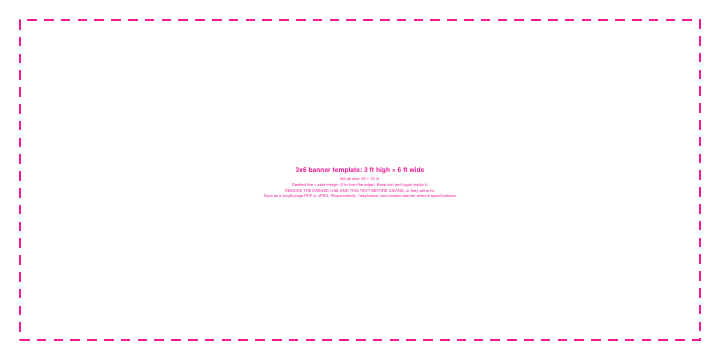
Two Versions of Every Template
- Blank template (easiest): an empty page at the right size. Just design on it, keeping text and logos away from the edges (2 inches on actual-size templates, 1 inch on 50% templates). Nothing to remove. Best for Photoshop and most other software.
- Template with guides: the same page with a dashed safe-margin line and instructions. Helpful for seeing the safe area, but you must remove the dashed line and text before saving, or they will print.
How to Use a Template
- Download the template for the size you’ll order.
- Design on it, keeping text and logos inside the safe margin.
- Using the version with guides? Remove them before saving:
- Adobe Illustrator: select the dashed line and press Delete (or Ctrl+5, Cmd+5 on a Mac, to turn it into a non-printing guide), then select and delete the instruction text.
- Adobe Photoshop: Photoshop merges the guides into the image, so they can’t be removed. Use the blank template instead, and add guides at the safe margin with View > New Guide; Photoshop guides don’t print. When Photoshop asks for a resolution, see our artwork specifications.
- Save your design as a single-page PDF or JPEG, then order your banner and upload your file using the link in your order email. See how to order a custom banner.
Templates are for Custom Banners. Designing online? The online designer is already set to your banner’s size. For full file requirements, see our custom banner artwork specifications.
Horizontal Banner Templates
| Size | Printed size | Template scale | Blank template | With guides |
|---|---|---|---|---|
| 2x4 | 24 × 48 in | 100% (actual size) | Blank PDF | PDF with guides |
| 2x6 | 24 × 72 in | 100% (actual size) | Blank PDF | PDF with guides |
| 2x8 | 24 × 96 in | 100% (actual size) | Blank PDF | PDF with guides |
| 3x4 | 36 × 48 in | 100% (actual size) | Blank PDF | PDF with guides |
| 3x5 | 36 × 60 in | 100% (actual size) | Blank PDF | PDF with guides |
| 3x6 | 36 × 72 in | 100% (actual size) | Blank PDF | PDF with guides |
| 3x8 | 36 × 96 in | 100% (actual size) | Blank PDF | PDF with guides |
| 3x10 | 36 × 120 in | 100% (actual size) | Blank PDF | PDF with guides |
| 3x12 | 36 × 144 in | 100% (actual size) | Blank PDF | PDF with guides |
| 4x6 | 48 × 72 in | 100% (actual size) | Blank PDF | PDF with guides |
| 4x8 | 48 × 96 in | 100% (actual size) | Blank PDF | PDF with guides |
| 4x10 | 48 × 120 in | 100% (actual size) | Blank PDF | PDF with guides |
| 4x12 | 48 × 144 in | 100% (actual size) | Blank PDF | PDF with guides |
| 5x10 | 60 × 120 in | 100% (actual size) | Blank PDF | PDF with guides |
| 6x10 | 72 × 120 in | 100% (actual size) | Blank PDF | PDF with guides |
| 6x12 | 72 × 144 in | 100% (actual size) | Blank PDF | PDF with guides |
| 8x10 | 96 × 120 in | 100% (actual size) | Blank PDF | PDF with guides |
| 8x12 | 96 × 144 in | 100% (actual size) | Blank PDF | PDF with guides |
| 8x16 | 96 × 192 in | 50% (48 × 96 in) | Blank PDF | PDF with guides |
| 8x20 | 96 × 240 in | 50% (48 × 120 in) | Blank PDF | PDF with guides |
| 10x20 | 120 × 240 in | 50% (60 × 120 in) | Blank PDF | PDF with guides |
| 10x30 | 120 × 360 in | 50% (60 × 180 in) | Blank PDF | PDF with guides |
Square Banner Templates
| Size | Printed size | Template scale | Blank template | With guides |
|---|---|---|---|---|
| 8x8 | 96 × 96 in | 100% (actual size) | Blank PDF | PDF with guides |
| 10x10 | 120 × 120 in | 100% (actual size) | Blank PDF | PDF with guides |
Vertical Banner Templates
For a vertical Custom Banner, design on the vertical template, then order the same size with the shorter side first (for example, order a 3x6 for a 6x3 design). We print it in your file’s layout.
| Size | Printed size | Template scale | Blank template | With guides |
|---|---|---|---|---|
| 6x2 | 72 × 24 in | 100% (actual size) | Blank PDF | PDF with guides |
| 6x3 | 72 × 36 in | 100% (actual size) | Blank PDF | PDF with guides |
| 8x3 | 96 × 36 in | 100% (actual size) | Blank PDF | PDF with guides |
Banner Template FAQ
Why are some templates 50% of actual size?
Banners over 15 ft long must be designed at 25% to 50% of actual size, so their templates are at 50%. Banners up to 15 ft long are at actual size. Both match our artwork specifications.
Do I need a template to order?
No, but it helps make sure your file has the right proportions. Any file that matches your banner’s shape and our artwork specifications works.
What is the dashed line?
The safe margin, shown only on the “with guides” version. Keep text and logos inside it, since the edges are where hems and grommets go, and remove the line before saving. Prefer not to deal with it? Use the blank version.
My size isn’t listed. What do I do?
Set up your file at the same proportions as your banner size, following our artwork specifications. Every size is listed in our banner size chart.